The first generation of IPTV players had a simple job.
Load a playlist.
Display the channels.

Play the stream.
For a long time, that was enough.
Today, the expectations are completely different.
IPTV libraries can contain thousands of live channels, massive movie catalogs, complete television series, program guides, Catch-Up archives and content from multiple sources.
At the same time, users have become accustomed to the convenience of modern streaming platforms.
They expect Favorites.
They expect Continue Watching.
They expect profiles.
They expect viewing history.
They expect content to be organized instead of simply listed.
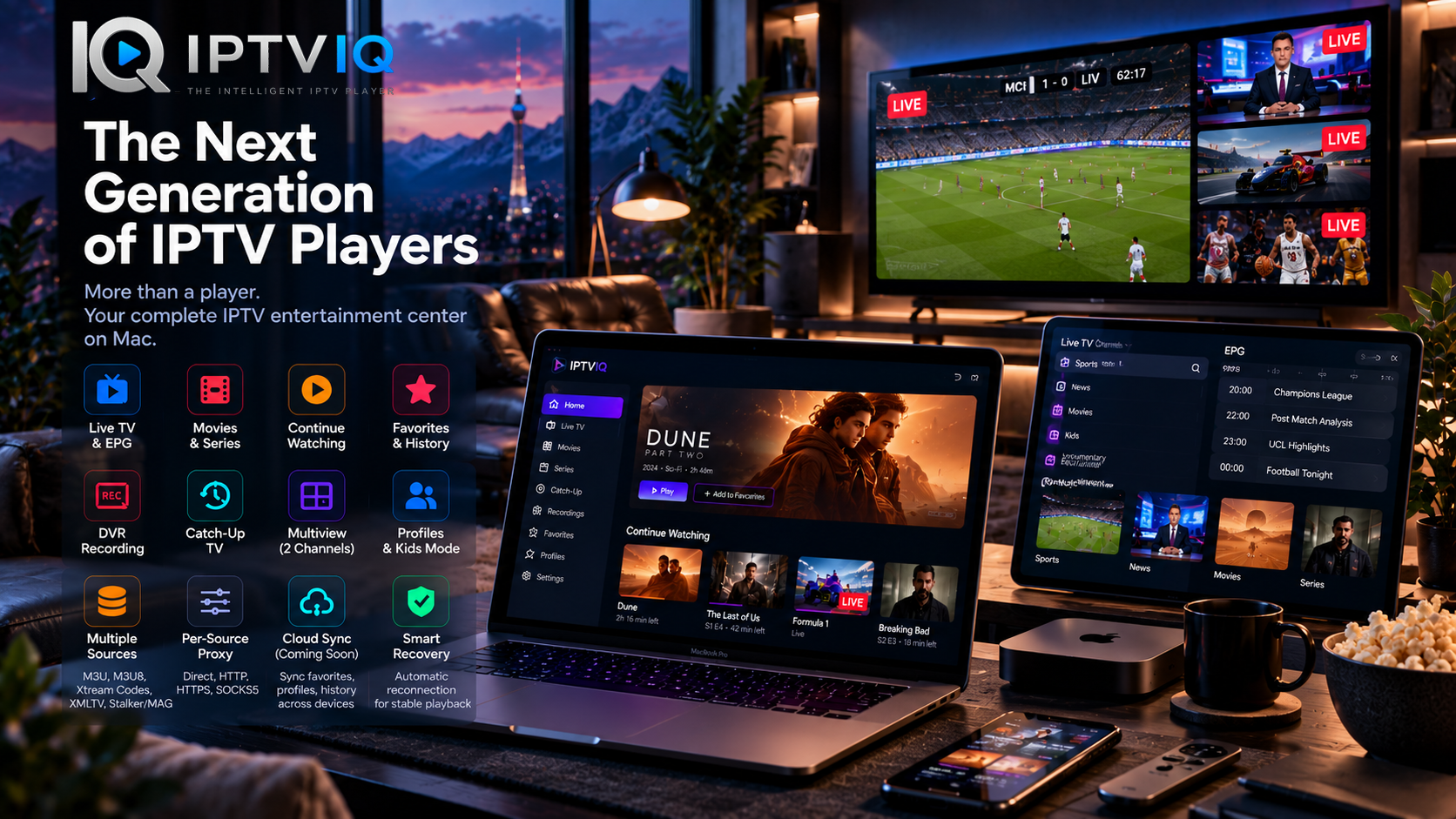
IPTVIQ represents this newer approach to IPTV on the Mac.
Rather than treating IPTV as a collection of stream URLs, IPTVIQ is designed to turn compatible IPTV sources into a structured entertainment experience.
What Should a Modern IPTV Player Actually Do?
Playing video is only the beginning.
A modern IPTV player needs to solve several problems at once.
It needs to understand different source formats.
It needs to organize large channel libraries.
It needs to separate Live TV from movies and series.
It needs to provide useful EPG information.
It needs to remember what the viewer watches.
It should support different members of a household.
And ideally, it should make all of this feel simple.
That is a much larger responsibility than simply opening an M3U file.
IPTVIQ is built around this broader definition of an IPTV player.
IPTV Sources Are Complicated. The Interface Shouldn’t Be.
Behind the scenes, IPTV can involve several different technologies.
One service may provide Xtream Codes credentials.
Another may use M3U or M3U8.
Program information may arrive through XMLTV.
Other environments may rely on Stalker, MAG or Ministra.
IPTVIQ supports multiple commonly used source technologies, including:
- Xtream Codes
- M3U
- M3U8
- XMLTV
- Stalker
- MAG
- Ministra
Multiple compatible sources can also be configured.
This creates an important separation.
The technical complexity belongs behind the interface.
The viewer should simply see an organized media library.
Live TV Needs More Than a Play Button
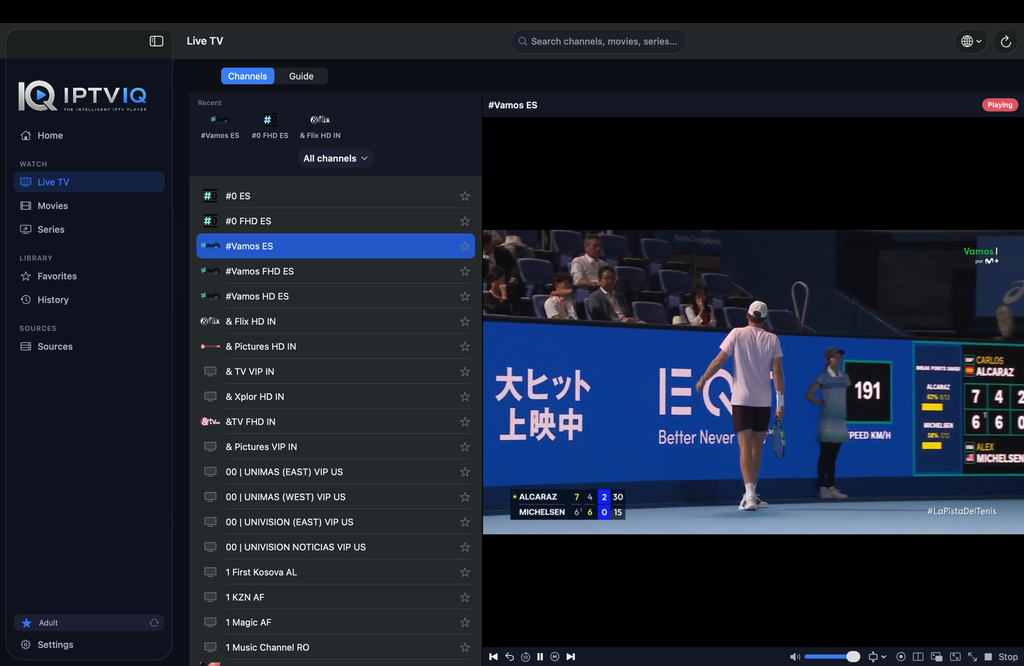
Live television behaves differently from on-demand video.
Viewers want to move quickly between channels.
They want to know what is currently airing.
They want to see what comes next.
And when hundreds or thousands of channels are available, organization becomes essential.
IPTVIQ provides a dedicated Live TV environment designed around this behavior.
Channels can be organized into categories rather than existing only inside one enormous list.
This makes the application much more practical for everyday television viewing.
EPG Turns Channels into Programming
Without an Electronic Program Guide, an IPTV channel is often little more than a name and a stream.
With EPG information, it becomes part of a schedule.
When compatible guide data is available, IPTVIQ can provide information about current and upcoming programming.
This makes browsing significantly more useful.
Instead of asking:
“What is this channel?”
the viewer can ask:
“What is on this channel right now?”
Mini-EPG functionality can make this information accessible without unnecessarily interrupting playback.
As always, guide accuracy depends on the EPG data available from the connected source.
Live TV, Movies and Series Are Different Experiences
A movie library should not behave like a television channel list.
A series should not be treated like a random video file.
Modern streaming platforms understand this distinction.
IPTV players increasingly need to understand it as well.
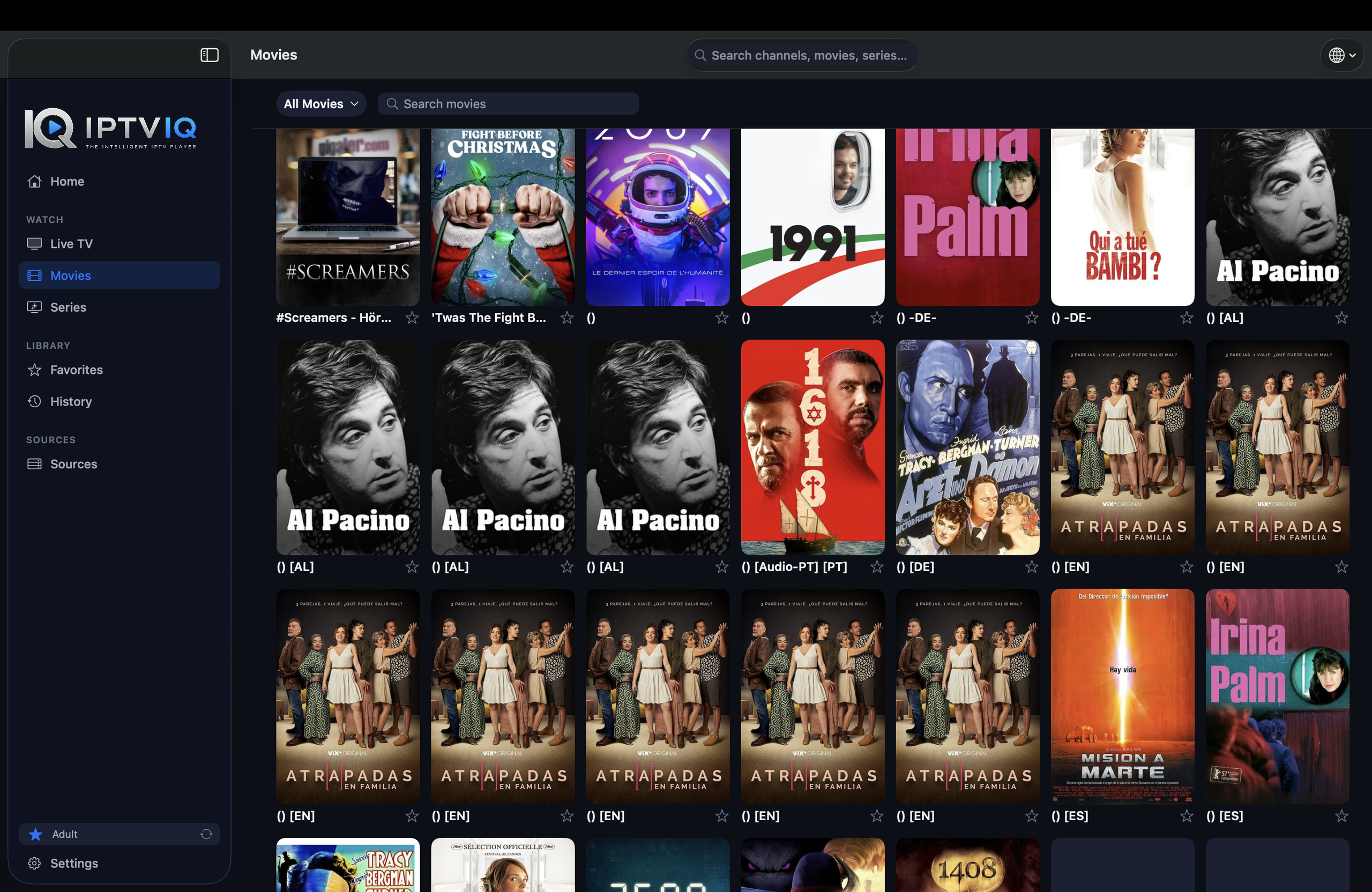
IPTVIQ separates supported content into appropriate environments for Live TV, Movies and Series.
This makes navigation more intuitive and gives each type of content an interface better suited to how people actually use it.
Continue Watching Is No Longer Optional
People rarely finish everything in one sitting.
A movie may be paused halfway through.
A television series may be watched over several weeks.
The player needs to remember.
Suppose a viewer stops a movie at:
00:42:00
When they return later, Continue Watching can make that movie accessible from approximately the same position.
The user does not need to remember the timestamp.
The application remembers it for them.
This is exactly the type of small feature that separates a media player from a complete entertainment experience.
Favorites Solve the Problem of Too Much Content
More content is not always better.
An IPTV source may contain thousands of channels, but most viewers repeatedly return to a much smaller selection.
Favorites allow the user to create a personal layer above the provider’s catalog.
Instead of browsing everything every time, viewers can keep frequently watched channels close.
The IPTV provider determines what is available.
Favorites determine what matters to the viewer.
Profiles Bring Personalization to IPTV
Once more than one person uses an IPTV setup, a single shared viewing environment becomes increasingly inconvenient.
One person watches sports.
Another watches movies.
Someone else primarily follows news.
IPTVIQ supports profiles so those preferences can remain separated.
Viewing history becomes more relevant.
Favorites become personal.
And the application can adapt more naturally to different people using the same IPTV environment.
Kids Profiles Add Control Where It Matters
Children need a different type of viewing experience.
A provider’s full IPTV library may contain content parents do not want available to younger viewers.
Kids Profiles provide a way to build a more restricted environment.
Approved content can remain available while selected material can be blocked.
The important idea is that restrictions belong to the profile.
Adults can continue using the larger IPTV environment without applying the same restrictions to everyone.
DVR Brings Control Back to Live Television
Live television traditionally controls the schedule.
The viewer either watches when something airs or misses it.
DVR changes that.
IPTVIQ supports recording compatible Live TV streams so users can save broadcasts locally and return to them later.
Local storage is especially appropriate for DVR because video files can become large very quickly.
The Mac handles the recording.
The user controls the file.
And cloud infrastructure does not need to become involved simply because the application may eventually support synchronization of smaller pieces of user data.
Catch-Up Is Different from DVR
DVR and Catch-Up solve similar problems in different ways.
With DVR, the user records the content.
With Catch-Up, the IPTV provider has already retained the broadcast.
When supported by the connected source, IPTVIQ can provide access to available Catch-Up programming.
This can allow viewers to watch something after it has aired even if they did not record it beforehand.
However, the provider controls whether Catch-Up exists and how much programming is retained.
IPTVIQ provides access to the feature; it does not independently create the archive.
Multiview Changes the Meaning of One Screen
Television interfaces have traditionally assumed one screen equals one channel.
That assumption does not always make sense anymore.
Consider two football matches taking place simultaneously.
Or a major news event while another live broadcast is running.
IPTVIQ’s Multiview functionality allows two compatible live streams to be displayed at the same time.
For sports viewers in particular, this can transform the way overlapping live events are followed.
A Modern Player Should Recover Gracefully
Internet streaming is not perfect.
A temporary network problem may interrupt playback.
An IPTV server may stop responding for several seconds.
The stream may stall even though the source becomes available again moments later.
A good player should not immediately give up.
IPTVIQ includes Smart Recovery functionality designed to detect certain interruptions and attempt to restore playback automatically.
It cannot solve a completely unavailable provider.
But it can make temporary problems less disruptive.
Advanced Users Need Source-Level Control
Not every IPTV source needs to use the same network configuration.
IPTVIQ therefore supports proxy configuration independently for individual sources.
Connection options include:
- Direct
- HTTP
- HTTPS
- SOCKS5
This provides much more flexibility than applying one proxy configuration to the entire application.
A user could maintain several IPTV sources with completely different networking requirements inside the same player.
The Next Generation Is Local-First
There is a temptation to put everything in the cloud.
That is not always necessary.
An IPTV application may contain source credentials, Favorites, profiles, viewing history, resume positions and DVR recordings.
Different types of information deserve different treatment.
Credentials should be protected.
DVR recordings can remain local.
Playback should remain direct whenever appropriate.
And lightweight user metadata can potentially synchronize only when synchronization provides a genuine benefit.
This is where the concept of a local-first IPTV player becomes particularly valuable.
The Next Big Step Is Cross-Device Continuity
Once an IPTV experience becomes personalized, users naturally want that personalization on their other devices.
Imagine spending time configuring IPTVIQ on a Mac.
You add your sources.
You create Favorites.
You build a Kids Profile.
You configure content restrictions.
You watch half of a movie.
Then you move to another supported device.
Should everything start from zero?
A modern ecosystem should ideally say no.
Cloud Sync Could Remember the Viewer
The most useful Cloud Sync system would not need to synchronize television streams.
It would synchronize the state of the viewing experience.
For example:
Mac
Movie X
Resume position → 00:42:00
↓
Sync
↓
Another Supported Device
Movie X
Continue Watching → 00:42:00
The same principle could apply to:
- Favorites
- Watch history
- Resume positions
- Profiles
- Kids Profile approvals
- Blocklists
- Selected settings
- Relevant EPG mappings
This information is small compared with the actual media being watched.
Yet synchronizing it can make the experience feel dramatically more connected.
Cloud Sync and IPTV Streaming Are Two Different Systems
This distinction is fundamental.
The IPTV video can continue following the simplest route:
IPTV Provider → User’s Device
Synchronization can operate independently:
Device A ↔ Sync Service ↔ Device B
There is no technical requirement for the video itself to travel through the synchronization infrastructure.
In other words:
Cloud Sync ≠ Cloud Streaming
and:
Cloud Sync ≠ IPTV Restreaming
The system can remember that a movie stopped at minute 42 without ever touching the movie stream itself.
DVR Shows Why Selective Sync Matters
Consider the difference between two pieces of information.
A Favorite channel may require only a tiny database entry.
A two-hour DVR recording may require several gigabytes.
Automatically synchronizing both would make little sense.
A more efficient architecture separates them:
User preferences and playback metadata → Sync
Large DVR recordings → Local
This keeps synchronization lightweight while preserving local control over large media files.
The Future IPTV Player Is an Ecosystem
The biggest shift may ultimately be conceptual.
Traditional IPTV software is installed on a device.
A modern IPTV ecosystem belongs to the user.
The Mac can be one screen.
A television can be another.
A mobile device can eventually become another.
But Favorites, profiles and viewing progress can remain consistent.
The underlying IPTV provider continues delivering the stream.
The player provides the experience surrounding it.
That is a much more ambitious definition of an IPTV application.
Who Is IPTVIQ Built For?
IPTVIQ is designed for users who already have compatible IPTV sources and want a more sophisticated way to manage them on Mac.
It becomes particularly valuable when users have:
- Large Live TV libraries
- Multiple IPTV sources
- Movies and series
- EPG information
- Several household viewers
- Kids viewing requirements
- DVR needs
- Catch-Up access
- Simultaneous live events
- Advanced networking configurations
A basic playlist player may be sufficient for a small IPTV setup.
As the setup grows, organization and personalization become increasingly important.
That is where IPTVIQ’s broader approach begins to make sense.
What IPTVIQ Does Not Provide
IPTVIQ is not an IPTV subscription service.
It does not independently provide television channels.
It does not sell movie libraries.
It does not replace an IPTV provider.
Users connect their own compatible sources and are responsible for ensuring they are authorized to access the content available through them.
IPTVIQ provides the player, interface and management experience around those sources.
Final Thoughts: IPTV Players Are Becoming Platforms
IPTV software is moving beyond the playlist era.
The ability to play a stream is now the baseline.
The more interesting questions are about everything surrounding that stream.
How quickly can viewers find something?
Can the player remember what they watch?
Can different household members have different experiences?
Can children have restricted profiles?
Can Live TV be recorded?
Can two events be watched simultaneously?
Can temporary interruptions recover automatically?
Can multiple IPTV sources coexist inside one environment?
And eventually:
Can the user’s viewing experience follow them from one device to another without unnecessarily routing the actual IPTV stream through the cloud?
IPTVIQ is built around many of these questions.
That makes it interesting not simply as another IPTV player for Mac, but as an example of where the next generation of IPTV software may be heading.
From playlist player to personalized entertainment platform.